5 AI Tools for Canva That Make Designs Easier
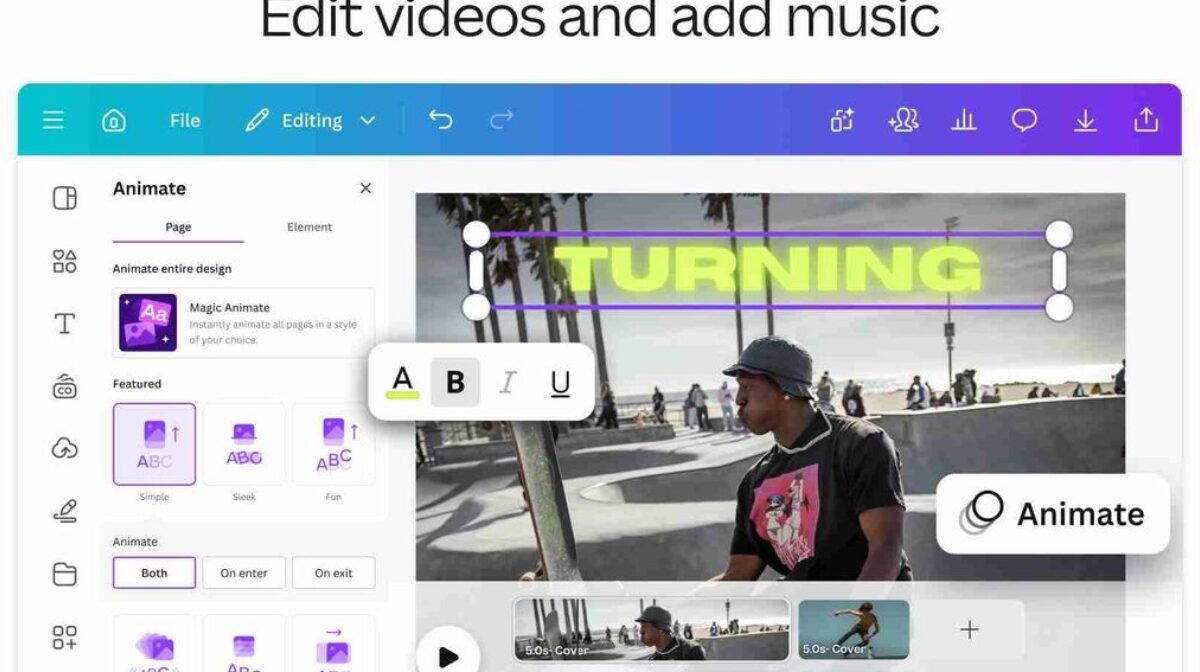
The best AI tools for Canva are Canva Magic Switch, Remove.bg, VistaCreate, Designhill AI Logo Maker and Snappa. Magic Switch resizes one design for every platform, Remove.bg cleans up photos in seconds, VistaCreate adds extra templates and animations, Designhill creates logos you can use in Canva, and Snappa suggests quick layouts for social graphics.
Canva has made graphic design accessible to everyone, and with AI built into the platform, creating stunning designs is faster than ever. AI tools for Canva help you automate repetitive tasks, resize designs, remove backgrounds, generate creative ideas and create professional graphics in less time.
What AI features are built into Canva?
Canva’s AI features, grouped under Magic Studio, help you design, write, edit and resize without leaving the editor. The most useful ones are:
- Magic Design: generates ready-made design options from a prompt or uploaded image.
- Magic Write: writes captions, headlines and short copy for your designs.
- Magic Edit and Magic Eraser: add, replace or remove objects in a photo.
- Background Remover: removes photo backgrounds in one click.
- Magic Switch: resizes and converts a design into other formats.
Some of these features need a Canva Pro plan, and availability can change, so check your Canva account for what is included.
Which AI tools for Canva make designs easier?
| Tool | Best for | How it helps with Canva |
|---|---|---|
| Canva Magic Switch | Multi-platform posts | Resizes one design for every platform |
| Remove.bg | Product and profile photos | Clean cut-out images to use in Canva |
| VistaCreate | Extra templates and animations | Alternative templates and animated designs |
| Designhill AI Logo Maker | Brand logos | Logos to add to your Canva brand kit |
| Snappa | Quick social graphics | Fast layout ideas for blog and social images |
Canva Magic Switch (formerly Magic Resize): Magic Switch automatically resizes your designs to fit different social media platforms. Whether it is for Instagram, Facebook, LinkedIn or X, you do not have to adjust dimensions manually. It can also turn a design into a document, presentation or other format.
Remove.bg: Remove.bg uses AI to detect and remove the background from images automatically. It is useful for product photos, profile pictures and marketing creatives, and the clean images can be uploaded straight into Canva.
VistaCreate (formerly Crello): VistaCreate provides design tools, templates and animation features for social media graphics and visual content. It is a good companion when you want more template styles or animated designs alongside Canva.
Designhill AI Logo Maker: Designhill’s AI Logo Maker creates logo designs based on your brand’s name, personality and style preferences. Once you choose a logo, you can add it to your Canva brand kit and use it across all your designs.
Snappa: Snappa suggests layouts and design elements that match your content, helping you create clean graphics without a design background. It is especially handy for blog images, ads and quick social posts.
How do you use AI to design faster in Canva?
- Set up your brand kit: add your logo, colours and fonts so every design stays consistent.
- Start with Magic Design or a template: describe what you need and pick the closest option.
- Clean your images: remove backgrounds with Canva or Remove.bg.
- Write copy with Magic Write: then edit it to match your brand voice.
- Resize with Magic Switch: create versions for every platform in one click.
- Review before publishing: check spelling, alignment and image quality.
Can Canva AI replace a professional designer?
No. Canva AI is great for quick, everyday designs, but strong branding, campaigns and custom visuals still need a professional designer. AI speeds up production, while a designer ensures your visuals are unique, consistent and built to convert.
By using these AI tools with Canva, you can create polished, professional designs in just a few clicks. For more design tools, read our guide on AI tools for graphic design.
Frequently asked questions
Is Canva AI free to use?
Some Canva AI features are available on the free plan with limits, while others, like Magic Switch and Background Remover, need Canva Pro.
What happened to Canva Magic Resize?
Magic Resize is now part of Magic Switch, which can resize designs and also convert them into other formats.
Can I use AI-generated Canva designs for my business?
Yes, Canva designs can generally be used for business, but always check Canva’s content licence, especially for AI-generated images.
Is Remove.bg better than Canva’s background remover?
Both work well. Remove.bg is handy if you do not have Canva Pro, while Canva’s remover is faster if you already design inside Canva.
Which tool is best for creating a logo to use in Canva?
Designhill AI Logo Maker and similar tools can create quick logo concepts, which you can then upload to your Canva brand kit.
Need professional social media creatives for your brand? Contact DigiTech Solution Lab to discuss your design requirements.